跳至内容

Majorbird MES · Process Designer

Change the process without changing code.

Your engineers design each process on a visual canvas: drag the steps, connect them, set the checks and the data to capture. Save, and the operator terminal follows that design exactly, the same day.

Book a demo
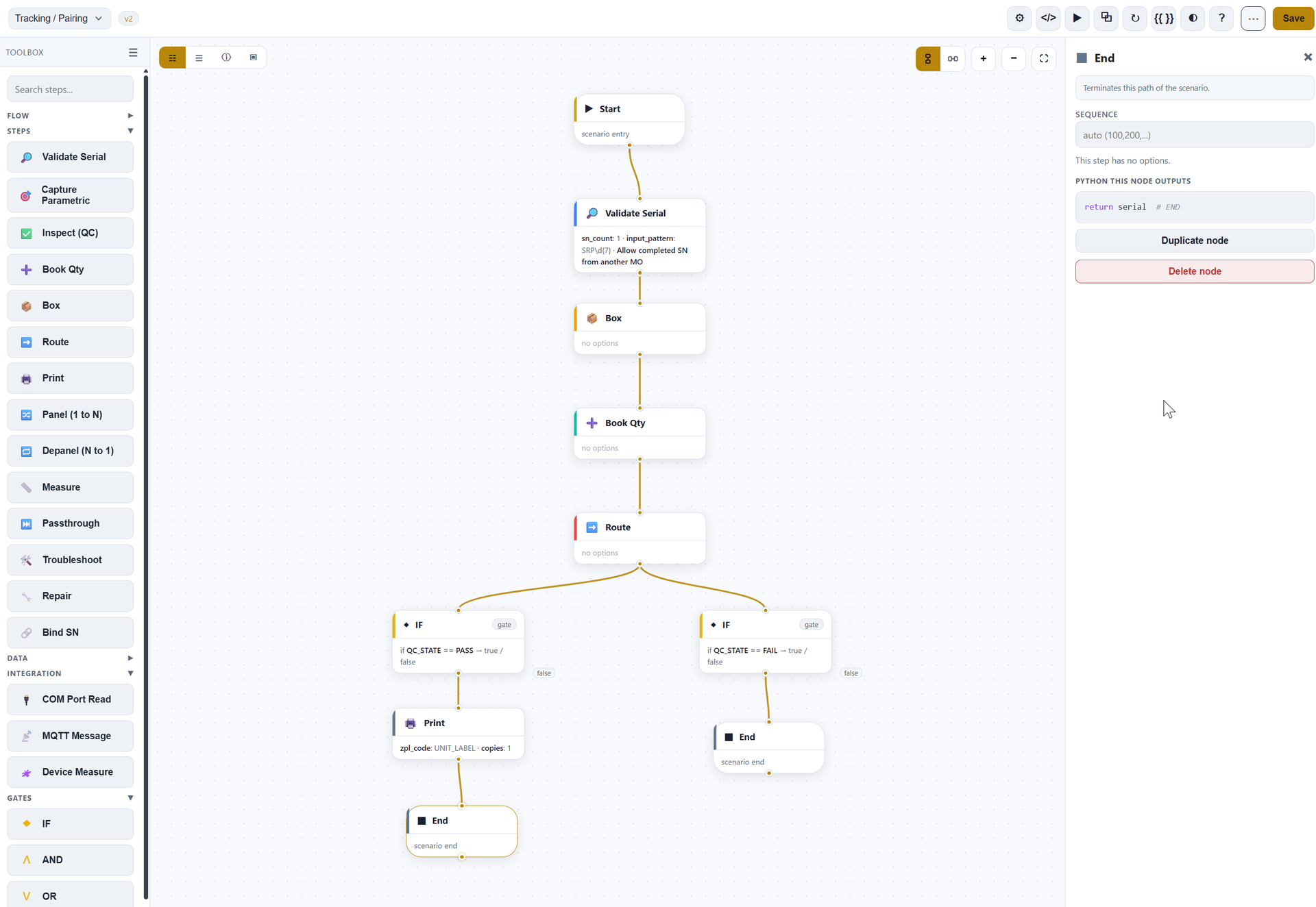
Majorbird MES Visual Process Designer, scenario editor canvas showing a branching production flow (light theme)
Headline capability

Routing that reacts to the result

Real production isn't a straight line. Add a branch to a routing and Majorbird MES chooses the next station from the actual outcome of the previous step: pass or fail, a defect, a measurement, or how many times a unit has already been reworked.

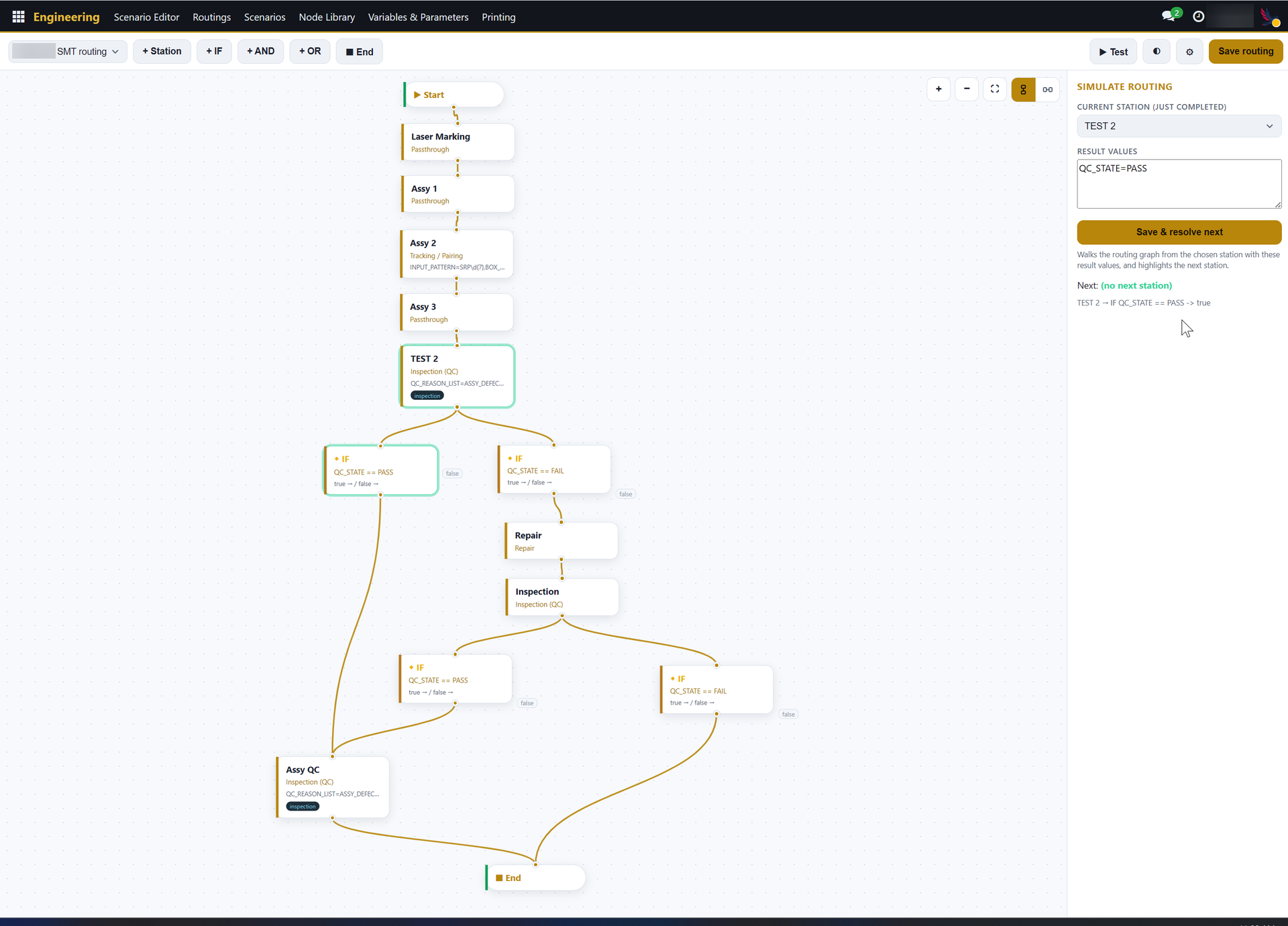
Majorbird MES routing editor, branch resolving on TEST 2, the green IF QC_STATE==PASS path highlighted (client name masked)

Rework loops, done right

Send failures to repair and back, and cap the retries so a unit can't loop forever.

No hidden defects downstream

A failed unit physically can't advance to the next station.

See it before you run it

A built-in simulator plays a result through the routing and lights up the exact path the unit would take.

The problem

Products evolve, but a floor that needs a development project for every change can't keep up.

What Majorbird MES does

Lay out and adjust how work flows through each step visually: new product, new check, new station? Draw it and go live, no release.

Why it matters

Engineers own the process

Change a step without waiting on a developer.

Consistency by design

The floor can only do what the process says.

Fast to evolve

Adapt to new products and revisions fast, standardize best practice across lines and sites.

No waiting on IT

Roll out a change for the next shift, not the next quarter.

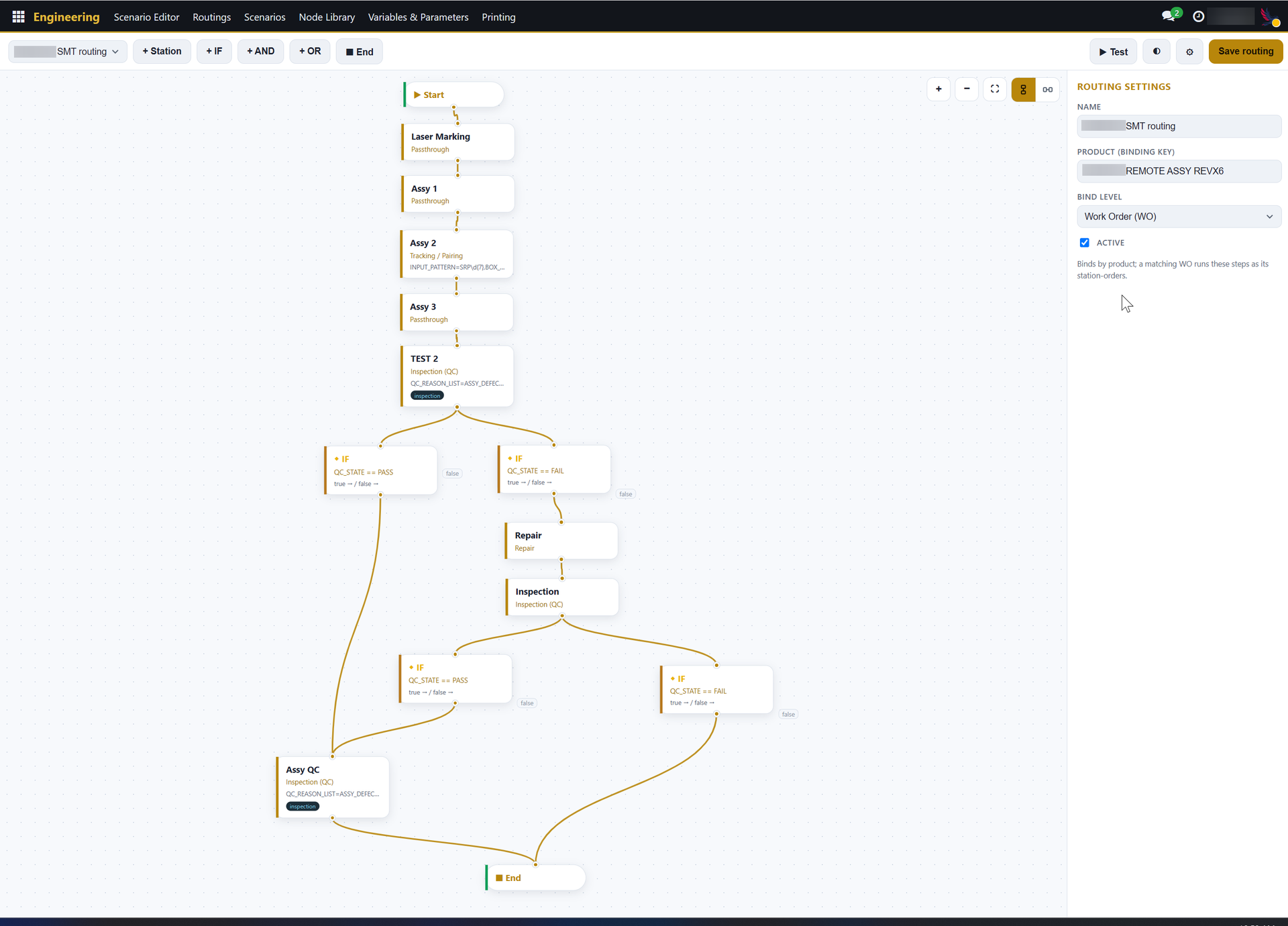
Majorbird MES routing editor, Start-to-multiple-Ends branch graph (client name masked)

How it fits

It runs on top of the ERP you already have: one source of truth, nothing to rip out.

Ready to guide your floor?

Book a demoTalk to us